Video Demo • 1 Min 09 Sec

Watch the CADSpeed YouTube Demo

Watch a real AutoCAD drawing session powered by single-word voice commands (Line, Offset 200, Extend, Trim, Erase, Mirror, and Go to sleep) with instant local execution and soft audio confirmation.

YouTube URL: https://www.youtube.com/watch?v=jz2__GNkvAQ

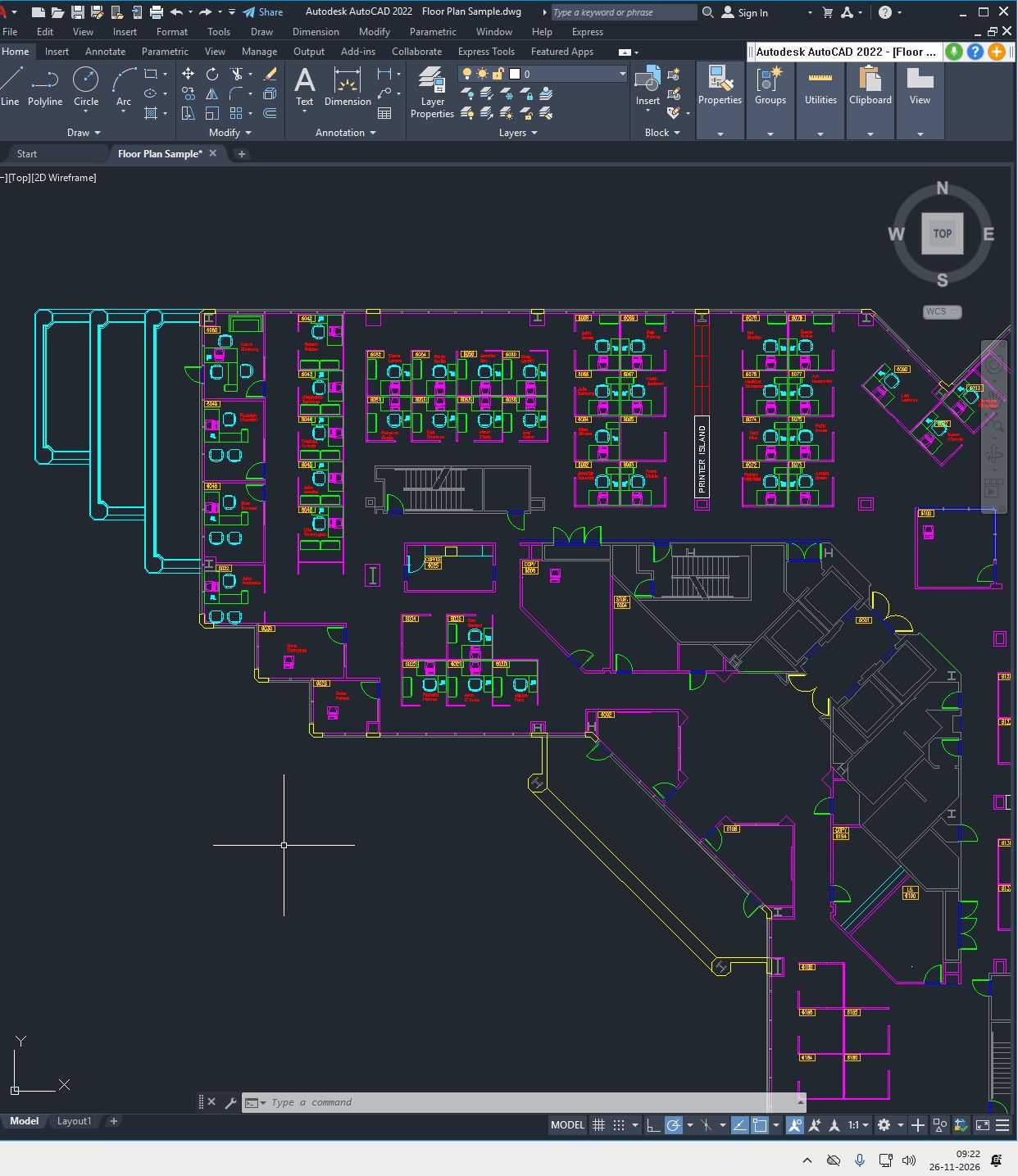
CADSpeed Normal Mode inside Autodesk AutoCAD

1. Production Mode — Maximum Drawing Canvas, Zero Distractions

Once you know your core commands, CADSpeed collapses into a compact floating bar at the top edge of your screen. Your entire monitor remains dedicated to your AutoCAD floor plan or model while the green microphone indicator confirms CADSpeed is listening locally.

Click to view full-size image →
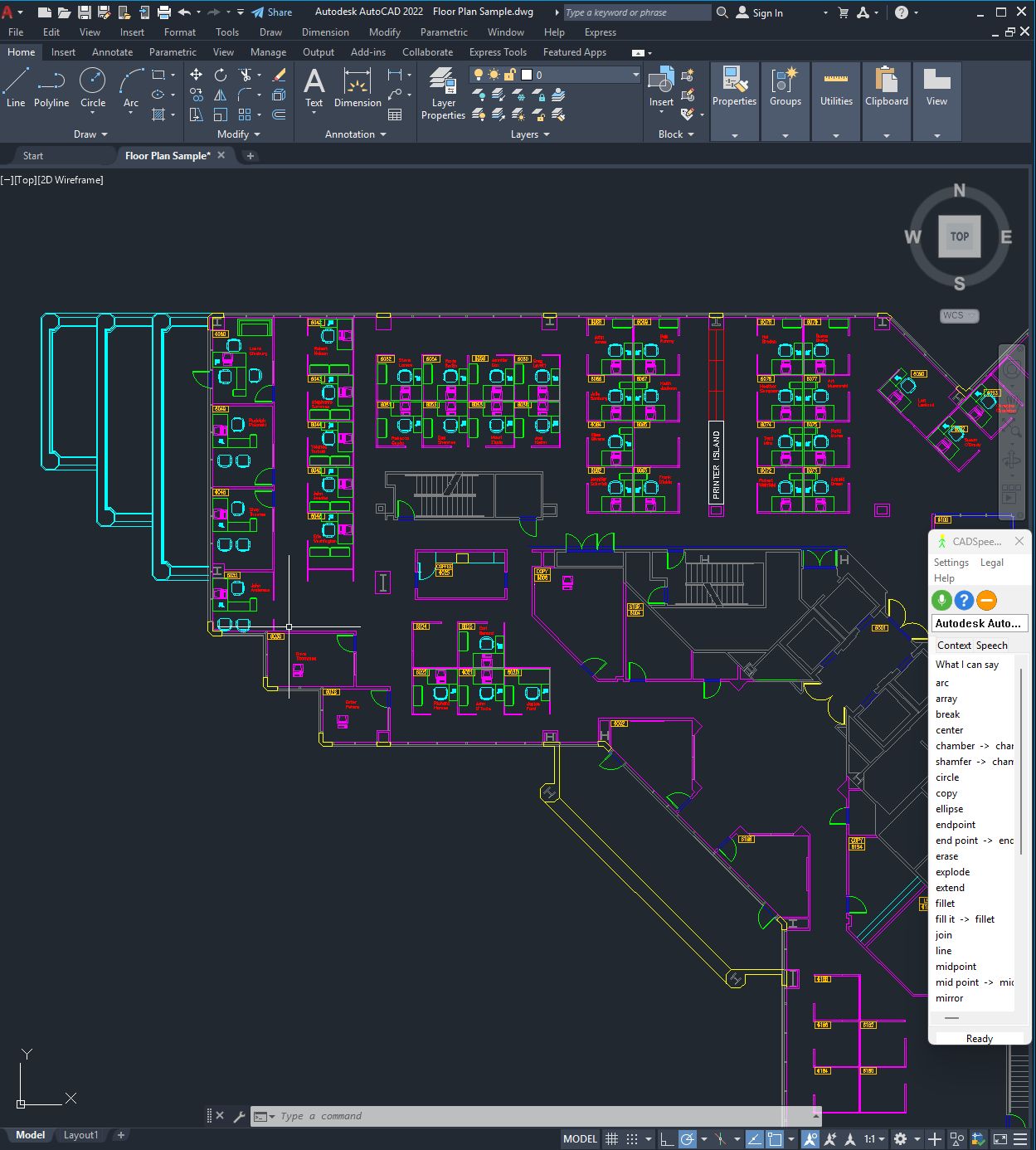
CADSpeed Learning Mode with live command list inside AutoCAD

2. Learning Mode — Live "What I Can Say" Command Reference

Getting started? Dock the compact command cheat-sheet right alongside your AutoCAD drawing area. It displays every active voice command for your current window in real time—including smart phonetic aliases like chamber → chamfer, shamfer → chamfer, and fill it → fillet.

Click to view full-size image →
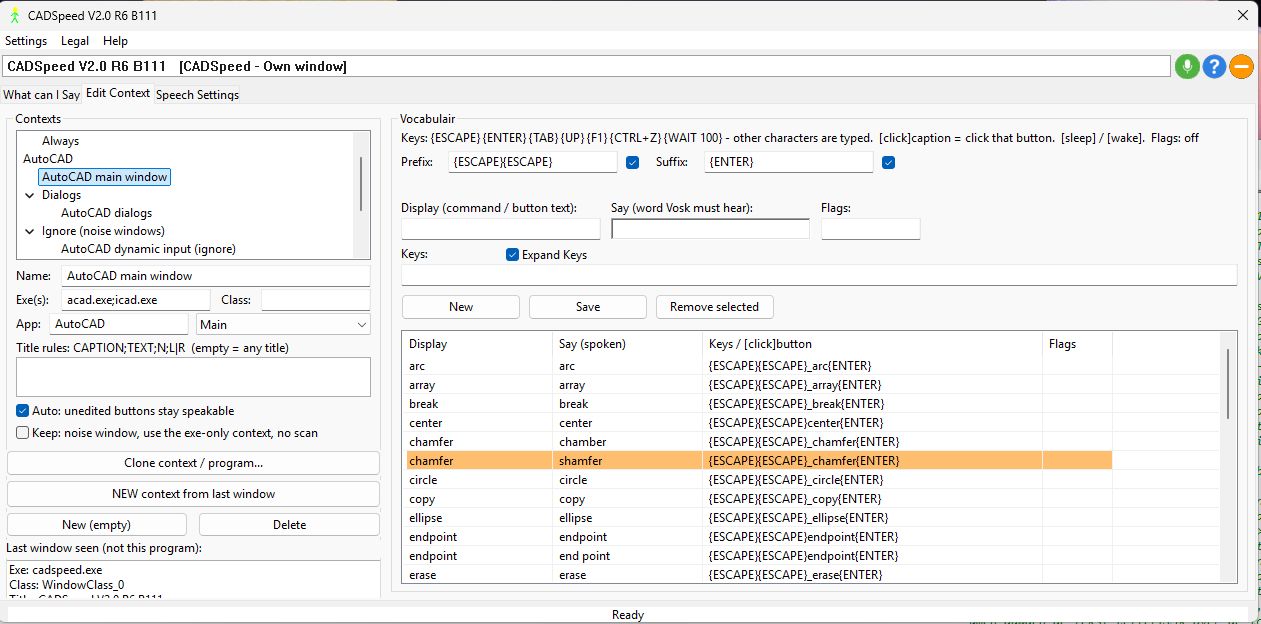
CADSpeed Edit Context and Vocabulary Configuration Window

3. Context & Vocabulary Editor — Customize Any Command in Seconds

Tailor CADSpeed to your exact drafting habits without touching config files or scripts:

  • Context Trees: Separate vocabularies for the AutoCAD main window, AutoCAD dialogs, and ignored noise windows.
  • Automatic Prefixes & Suffixes: Automatically prepend {ESCAPE}{ESCAPE} to cancel active tools cleanly and append {ENTER} to execute immediately.
  • Phonetic Variants: Add multiple spoken words for the same CAD command so CADSpeed understands your natural pronunciation effortlessly.
Click to view full-size image →
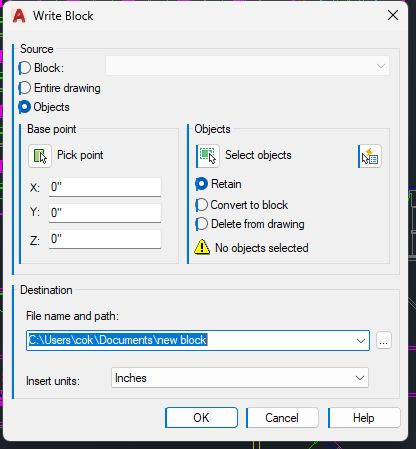
CADSpeed Speak to Dialogs controlling an AutoCAD Write Block dialog box

4. Speak to Dialogs — Control Every Pop-Up Window Hands-Free

Whenever an AutoCAD dialog box pops up (such as Write Block), you don't have to hunt for radio buttons or checkboxes with your mouse. Simply speak what is shown on screen—like "Pick point", "Select objects", "Convert to block", or "OK"—or customize it to listen to whatever phrase you want. You can also share your dedicated custom grammars with colleagues or friends.

Click to view full-size image →
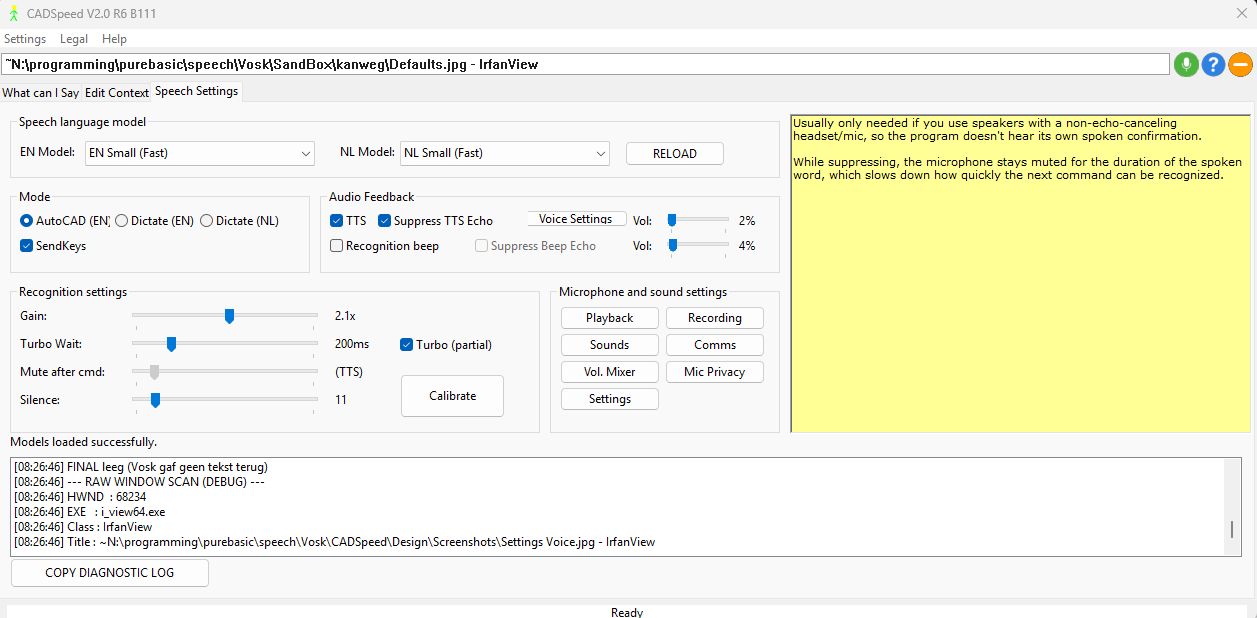
CADSpeed Speech Settings and Offline Language Models

5. Speech Settings — 100% Offline Language Models (40 Languages on Request)

CADSpeed runs fast offline acoustic models directly on your CPU—with dedicated AutoCAD command mode and dictation modes, plus support for 40 languages on request so you can speak commands in your own language.

Click to view full-size image →
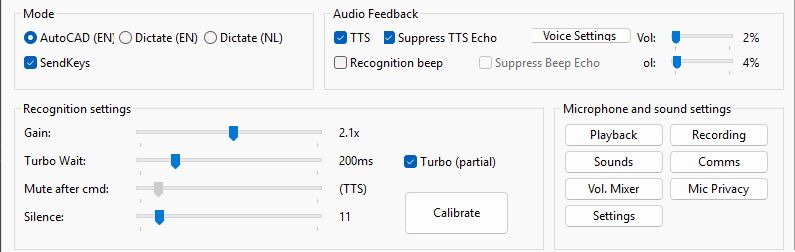
CADSpeed Microphone Gain, Recognition Tuning, and Voice Feedback

6. Whisper-Quiet Microphone Tuning & Customizable Voice Feedback

Adjust microphone Gain (e.g., 2.1x), Turbo Wait (200ms partial recognition trigger), and Silence thresholds so CADSpeed picks up a soft, relaxed voice without straining your throat.

You also have full control over confirmation feedback: let CADSpeed speak back what it heard so you know for sure it executes the right command, affirm commands with a soft beep, or work in total silence—everything is completely customizable.

Click to view full-size image →

Ready to Test CADSpeed on Your Own Drawings?

Download the official Microsoft Store build and enjoy 31 full days of unrestricted drafting speed—no email or credit card required. Afterward, it's just €60 for a one-year subscription with no automatic renewal—you decide for yourself.

Start Your Free 31-Day Trial