Draft at the Speed of Thought. Keep Your Eyes on the Crosshairs.
CADSpeed turns single spoken words into instant AutoCAD commands. Built by a veteran CAD designer to eliminate repetitive strain and double drafting speed—running 100% locally on your PC with zero cloud latency, zero voice training, and total data privacy.
No email required • No credit card • 1-year subscription only (no automatic renewal) • Microsoft Certified
The Hidden Tax on Every AutoCAD Drawing
Every experienced drafter knows the daily grind: thousands of micro-interruptions that drain your focus and wear down your body. You already know what you want to draw—your tools shouldn't slow down your hands or shorten your career.
The Ribbon Hunt
Taking your eyes off your geometry dozens of times per minute to dig through nested tabs, drop-downs, and tiny toolbar icons.
Keyboard Ping-Pong
Lifting your hand off the mouse—or stretching your left hand across the keyboard—hundreds of times an hour just to type TR, OF, MI, or MA and hit Enter.
Physical Wear & Tear
Tight forearms, aching wrists, and creeping shoulder tension. Repetitive Strain Injury (RSI) doesn't happen overnight; it happens one click and one keystroke at a time.
Say It. Draw It. Done.
CADSpeed is a dedicated productivity engine for everyday AutoCAD users. Keep your right hand comfortably on your mouse and your eyes locked on your drawing. Speak a single word in a calm, quiet voice, and the command fires instantaneously.
One-Word Execution
Trigger your most-used AutoCAD commands, aliases, and custom routines with a single spoken word. No multi-step voice menus, no awkward phrasing.
Sub-Second Local Response
Because all speech processing happens directly on your workstation, there is zero internet round-trip delay. By the time you finish saying "Trim" or "Offset", AutoCAD is already waiting for your selection.
Speak to Dialogs
Every dialog box that pops up, you can speak the exact button or option label you see on screen—or customize CADSpeed to listen to whatever phrase you want.
99% Accuracy — Zero Training Required
Forget spending hours reading training scripts to teach the software your voice. CADSpeed works accurately right out of the box from minute one.
Whisper-Quiet Operation
You don't need to project or strain your voice. CADSpeed picks up soft, conversational speech effortlessly—ideal for quiet home offices and shared engineering studios without vocal fatigue.
Available in 40 Languages on Request
Prefer working in your native tongue? On request, CADSpeed voice recognition is available in 40 languages so you can speak commands in your own language.
Dedicated, Customizable CAD Vocabularies
Out of the box, CADSpeed speaks fluent AutoCAD. Want to map your own shorthand, phonetic variants, or custom macros? Tailoring the vocabulary takes seconds.
Share Custom Grammars with Colleagues & Friends
Created the ideal command set or dialog vocabulary? Easily share your dedicated custom grammars with colleagues, project teams, or friends.
Customizable Voice & Audio Feedback
Choose exactly how CADSpeed confirms your commands: have CADSpeed speak back what it heard so you know for sure it executes the right action, affirm commands with a soft beep, or work in total silence. Everything is 100% customizable.
Zero Screen Clutter. Total Control.
Designed to stay out of your way while you draft—and give you complete control when customizing commands.
Watch CADSpeed Draft Live Inside AutoCAD
See real-time, hands-free drafting in action—chaining commands like Line, Copy last, Angle line, Offset 200, Extend, Trim, Mirror, and Go to sleep with soft confirmation beeps and zero keyboard typing.
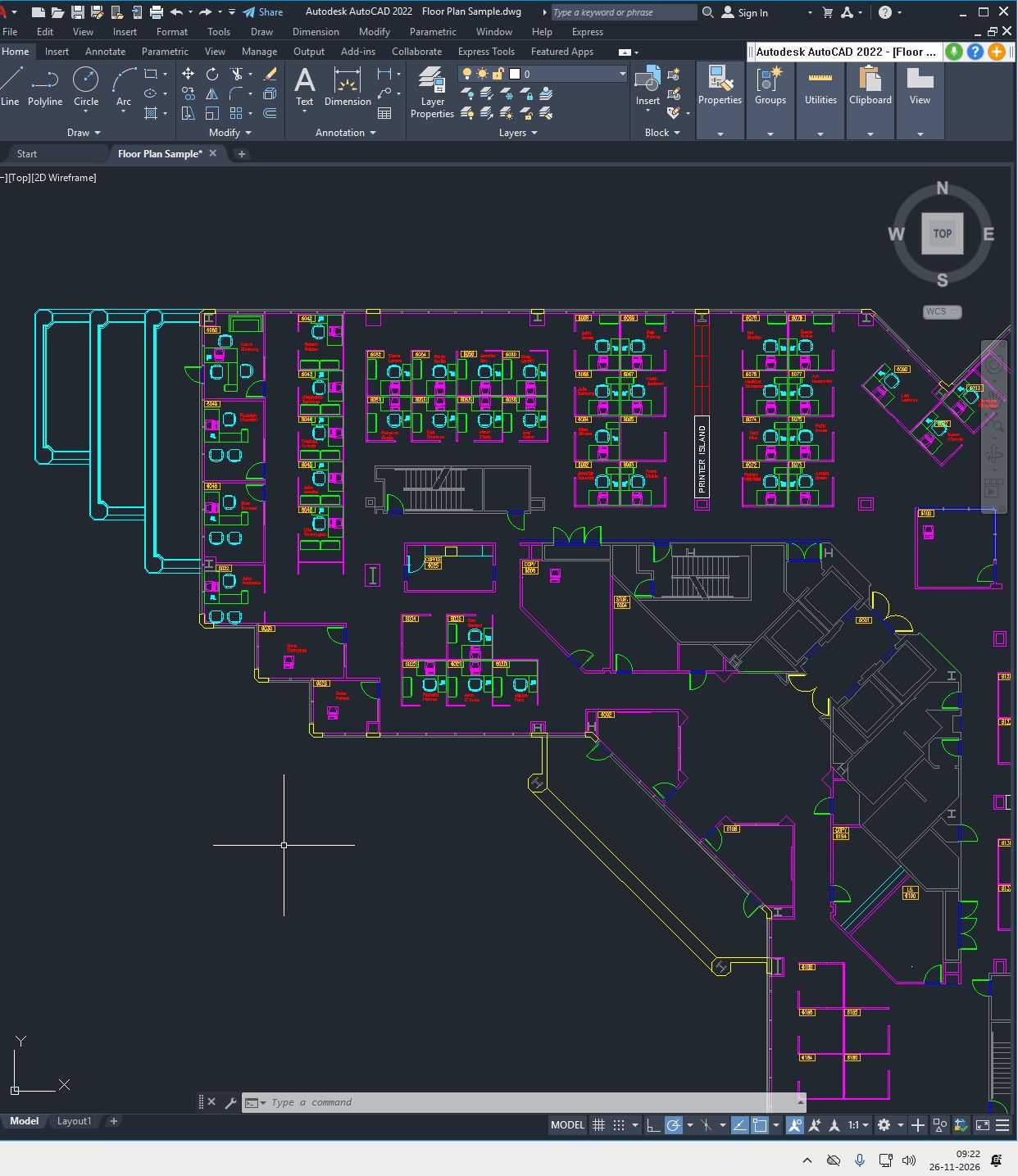
Unobtrusive In-CAD Operation
CADSpeed sits quietly as a tiny floating status bar at the top of your screen, leaving 100% of your AutoCAD workspace free for complex floor plans and 3D models.
View full-resolution screenshot →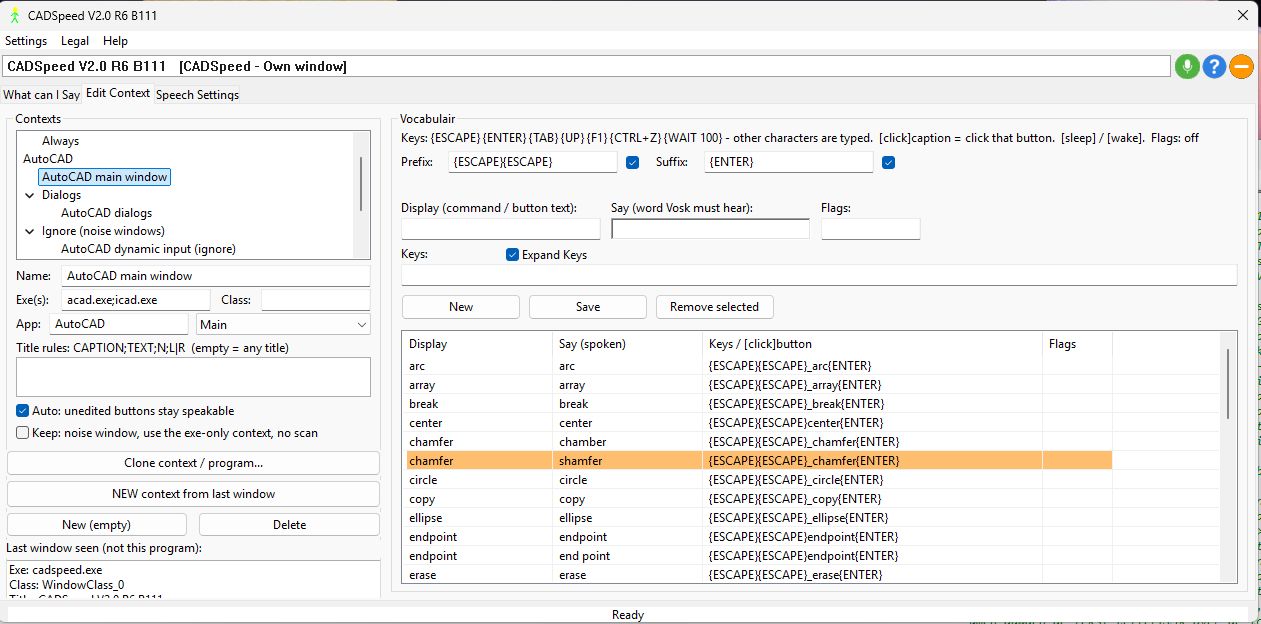
Simple Vocabulary & Context Editor
Add custom spoken triggers, phonetic aliases (like "shamfer" or "chamber" for chamfer), and automatic {ESCAPE}{ESCAPE} / {ENTER} sequences in seconds.
Why CADSpeed Outperforms Shortcuts & Generic Voice Tools
Most voice tools were built for writing emails—not precision engineering. Here is how CADSpeed compares to standard drafting workflows and generic speech software:
| Feature | Traditional Mouse & Keyboard | Generic Cloud / Dictation | CADSpeed by SimpleAppsForYou |
|---|---|---|---|
| Command Speed | Limited by typing & ribbon clicks | Delayed by cloud server round-trips | Instantaneous (100% local engine) |
| Visual Focus | Eyes leave the drawing constantly | Frequent correction pop-ups | Eyes stay locked on the crosshairs |
| Setup & Voice Training | Steep shortcut memorization | Hours of voice profile training | 99% accurate immediately — no training |
| Ergonomic Impact | High risk of wrist & forearm RSI | Requires loud, unnatural enunciation | Relieves RSI; works with a soft voice |
| Data & NDA Security | Local | Audio sent to external servers | 100% offline — zero data leaves your PC |
| CAD Vocabulary | Manual alias file editing | Struggles with technical CAD terms | Purpose-built & easily customizable |
Built by a Veteran CAD Designer Who Lived It
"Halfway through my career as a CAD designer, RSI hit hard. Every hour at the workstation became a battle between meeting tight production deadlines and managing wrist and forearm pain. I didn't need a gimmick or a complicated macro suite—I needed a way to keep my hand on the mouse, protect my body, and draw faster than ever before. So I built CADSpeed."
CADSpeed wasn't designed in a boardroom by people who have never opened a .dwg file. Every design decision—from single-word triggers to soft-voice sensitivity—comes directly from decades of real-world drafting pressure.
Strict Privacy & IT Peace of Mind
Engineering firms, architects, and manufacturers operate under strict NDAs and tight IT security policies. CADSpeed was engineered from the ground up to pass security reviews without friction.
100% Local Speech Processing
Your voice and command data never touch the cloud. Nothing is recorded, transmitted, or analyzed on external servers. Your proprietary designs and company secrets stay strictly inside your building.
Zero Activity Logging
We do not track what you draw, which commands you use, or when you work. No telemetry, no analytics, no surveillance.
Minimal, Transparent Licensing Data
To prevent abuse of the 31-day trial, CADSpeed stores only an encrypted identifier of your motherboard ID. If you purchase a license via Polar, the only personal detail we receive is your checkout email address for license administration. Nothing else is ever stored.
Microsoft Store Certified
Download, install, and update directly through the official Microsoft Store. Every build is verified safe by Microsoft—no sketchy executables and clean one-click uninstallation.
Try CADSpeed Free for 31 Days
If CADSpeed saves you just 10 minutes a day, you recover over 40 hours of productive drafting time a year—paying for your license in your first week.
Only €5 per month • We only sell one-year (12-month) subscriptions with no automatic renewal — you decide for yourself if and when to renew.
- Full, unrestricted access for 31 calendar days
- No email address required to start the trial
- One-year subscription only — zero automatic renewal (you decide yourself)
- No credit card or hidden recurring billing traps
- 100% offline speech recognition included
- Official Microsoft Store certified installer
By installing or using CADSpeed, you agree to our End User License Agreement (EULA) and First Start Notice.
Frequently Asked Questions
Do I need an expensive headset or microphone?
No. Any standard headset mic, webcam mic, or decent laptop microphone works great. Because CADSpeed is tuned for soft, close-range speech, you don't need to speak loudly for 99% recognition accuracy.
Can I customize voice commands to match my aliases?
Yes. CADSpeed comes loaded with dedicated CAD vocabularies ready to use immediately, and you can easily add, rename, or remap commands to fit your exact workflow and custom AutoCAD routines.
Will my IT department approve CADSpeed?
Yes. CADSpeed is distributed and certified through the official Microsoft Store, runs 100% offline with zero cloud dependencies, and logs zero user or project data—making it ideal for NDA-restricted corporate networks.
What happens after the 31-day trial — is there automatic renewal?
Nothing happens automatically. We don't ask for your email or payment details to start the trial, and we only sell standalone one-year (12-month) subscriptions with no automatic renewal. When a 1-year subscription ends, it simply expires—you decide for yourself if and when you want to purchase another year.
Can I control AutoCAD dialog boxes with my voice?
Yes. With Speak to Dialogs, whenever a dialog box pops up, you can simply speak the exact text visible on screen—such as "Pick point", "Select objects", or "OK"—or configure CADSpeed to listen to any custom phrase you prefer.
Is CADSpeed available in other languages, and can I share my setup?
Yes. On request, CADSpeed voice recognition is available in 40 languages so you can speak in your own language. You can also export and share your dedicated custom grammars with colleagues or friends.
How do I know CADSpeed heard the right command without looking away?
Feedback is completely customizable. You can set CADSpeed to speak back what it heard so you know for sure it is doing the right thing, confirm each recognized command with a soft beep, or work in total silence.